



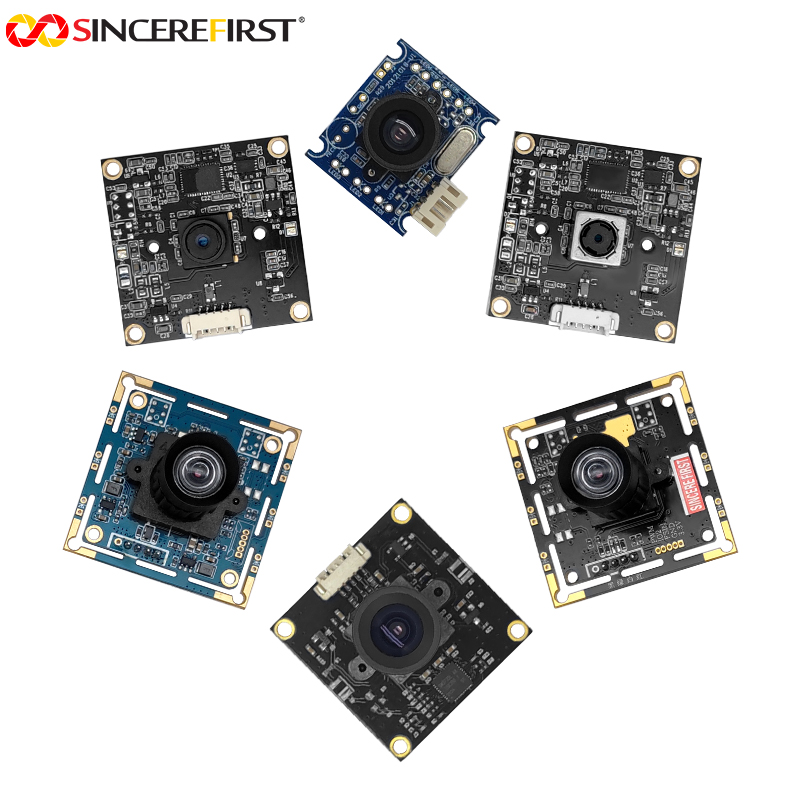

High Frame Rate USB Camera Modules for Industrial Inspection, Interactive Devices and Sports Recording
$1.00

Find a high frame rate USB camera for inspection, interactive devices or sports recording. Compare models and plan your device with SincereFirst.

—————————————————————————————–
Price is for reference only. Please contact us for the latest quotation.

+ −
  • High Frame Rate USB Camera Modules for Industrial Inspection, Interactive Devices and Sports Recording

    $1.00

    Request a Call Back

    • High Frame Rate USB Camera Modules for Industrial Inspection, Interactive Devices and Sports Recording

      $1.00

      Ask a Question

        ... people are viewing this right now

        Share

      Introduction

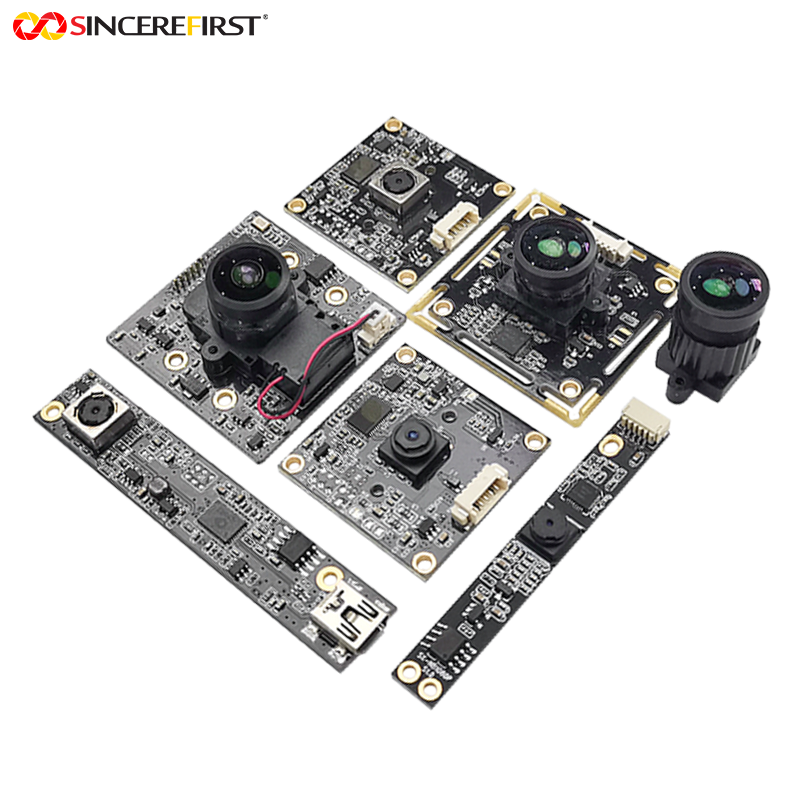
      Passing products, fast gestures and sporting movements can change substantially between successive images. Devices that inspect, follow or replay those changes need a camera sampling rate suited to the action. SincereFirst’s high frame rate USB camera module series offers different resolution-and-frame-rate combinations, with shutter, optical and mechanical choices to match the images each project needs.

      Applications in Real Devices

      Conveyor Sorting and In-Line Inspection

      On a moving line, each item is visible at the inspection point for a limited time. Closely spaced products or a need for several views during passage can call for more frequent image capture, giving the inspection system additional opportunities to examine each item without stopping the conveyor.

      Moving-Vehicle Capture at Lanes and Entrances

      A moving vehicle may pass through the useful plate or vehicle view between widely spaced frames. More frequent capture can provide additional candidate images during that passage. The required rate depends on vehicle speed and the length of the capture zone, rather than on the traffic application name alone.

      Gesture-Controlled Whiteboards and Projection Systems

      Quick swipes and changes of direction can leave large gaps between observed hand positions. More frequent images give the interaction software a closer sequence of those movements to work from. Camera sampling, software processing and display updates together determine the response experienced by the user.

      Fitness Mirrors for Exercise Movement Capture

      A fitness device assessing repeated exercise movements needs to observe transitions between positions, rather than isolated poses alone. More frequent samples can help represent a quick arm movement or a change in direction.

      Their value depends on the exercise and whether the host actually processes the additional frames.

      Sports Recording and Movement Review

      A tennis or pickleball recording system may need to show the sequence of a player’s swing or footwork for review. More frames provide more positions within that movement and can support slower playback. The sampling rate must match the action being reviewed; it does not by itself establish suitability for very brief racket–ball contact analysis.

      Project Evaluation Guide

      • Decide What the Images Must Reveal
        Start with the event: how long is the target visible, and how many observations does the task need during that time? A sorter acquiring one timed image has a different requirement from a system following a movement through several positions. Use that distinction to establish a useful capture rate before comparing camera features.
      • Balance Target Detail, Motion Sampling and Color
        Use target size in the image to establish the resolution you need, and time in view to establish how frequently you need samples. Monochrome is a useful choice when the task relies on contrast or outlines; color matters when appearance is part of the decision. Compare each model’s resolution-and-frame-rate pair together—neither value alone establishes a fit.
      • Match the View and Focus to the Device Layout
        At a fixed mounting position, the lens must place enough of the working area in view while retaining useful target detail. Changing subject distance may make autofocus the deciding factor; a narrow bezel may instead make the strip board the best starting point. Use those physical constraints to narrow the shortlist before comparing secondary features.
      • Decide How Capture Fits the Host System
        For event-timed capture, use the model table to identify the configuration with external trigger.

      For continuous video, match the required camera mode to the host interface and recording workflow. If HDMI display output is needed, consider the USB 3.0 + HDMI configuration and establish the display mode separately from its USB capture mode.

      Featured Models

      Model

      Key Configuration

      Product Direction

      SF-C0317USB-BW-3838 V1.1

      OV7251 monochrome global shutter; VGA 120fps; D141°; USB 2.0

      Fast position and outline acquisition across a nearby working area when VGA detail is sufficient.

      SF1.3A142-GS-USB

      Color global shutter; 1280×1024 at 190fps; USB 2.0

      Frequent color image samples of passing targets where 1.3MP provides enough feature detail.

      SF2A123

      OV2312 color global shutter; 1600×1300 at 60fps; USB 2.0

      2MP moving-part inspection or scanning, with lens and industrial housing options for the equipment.

      SF2A543

      AR0234 global shutter; 1080P100; USB 2.0; color or monochrome

      Full HD motion sampling for inspection; optional 10× optical zoom for projects needing adjustable framing.

      SF2A543-3.0

      AR0234 global shutter; 1080P60; external trigger; USB 3.0 Type-C; color or monochrome

      Controller-timed vehicle or product capture; optional 10× optical zoom. A separate model from the USB 2.0 100fps option.

      SF2A5431-3.0

      Color global shutter; USB 1080P120; USB 3.0 Type-C and HDMI

      Full HD high-rate acquisition where HDMI output also matters; ordinary or 850nm LED housing options.

      SF-C2013USB-2525-H120 V1.0

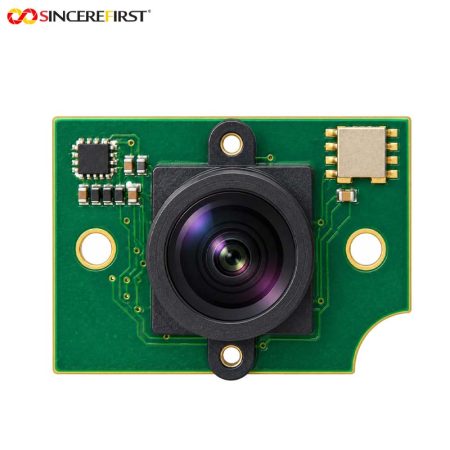
      GC2053; 1080P60; H120°; 25×25mm; USB 2.0

      Broad nearby activity coverage in compact devices such as fitness mirrors.

      SF-C2013USB-2525-STAR V1.0

      IMX662 STARVIS 2; 1080P60; F1.6; H134°; USB 2.0

      Wide indoor observation for robots or animal-monitoring devices. Single-frame HDR requires customization and is not standard.

      SF-C2013USB-6010-1080P60-CHN-D90 V1.0

      GC2093; 1080P60; D90°; 50×10mm strip board; USB 2.0

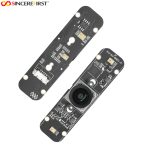
      Activity video where a narrow bezel or elongated installation space determines the board choice.

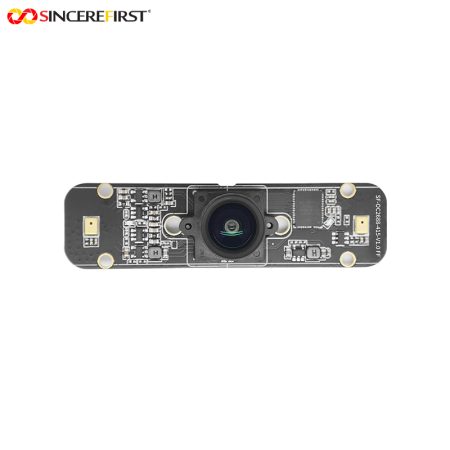
      SF-OC2688-415-V1.0

      IMX415; VCM autofocus; 4K30 / 1080P60; HDR; USB 2.0

      Desktop reading and other changing-distance views; a manual-focus version is also available.

      SF8A987-88

      IMX678 STARVIS 2; 4K60; 1/1.8-inch sensor; HDR; USB 3.0 Type-C

      Detailed sports or room video, with M12 lens versions and project-specific C/CS lens options.

      SF8A625-88

      IMX415 STARVIS; 4K60 / 1080P60; 1/2.8-inch sensor; HDR; USB 3.0 Type-C

      Fixed-focus 4K conferencing and sports video when the selected lens covers the scene from an established position.

      SincereFirst Customization

      Optics for the Target and Viewing Position

      Once the imaging direction is selected, SincereFirst can help match focal length, field of view and focus setting to the target and mounting position. Distortion requirements and IR-cut or IR-pass choices can be included when the project depends on image geometry or a specific illumination plan.

      Mechanical Fit for the Finished Device

      Bring the enclosure space and mounting requirements into the camera discussion early. SincereFirst can assess board adaptation, mounting positions, connectors, cable length and housing choices around the selected platform, so the camera configuration fits the finished equipment as well as the imaging task.

      Electrical and Interface Adaptation

      SincereFirst can assess the host connection, power requirements and lighting coordination against the selected camera hardware. Projects needing controller-timed acquisition start with a trigger-capable configuration; interface or electrical changes are scoped from that platform’s capabilities.

      Firmware and Host Integration Support

      For the chosen configuration, SincereFirst can assess image tuning, supported resolution or frame-rate settings, and host compatibility needs. This work is directed toward the images the application must acquire, process or record, within the selected hardware and firmware’s capabilities.

      Final configuration should be validated with the actual host platform, enclosure, optics, software, and lighting environment before sampling.

      FAQ

      Do cameras with the same frame rate automatically provide synchronized views?

      No. Equal frame rates do not establish common exposure timing. A multi-view project needs a configuration and acquisition method suited to its timing requirement. Define how closely the views must align in time before choosing the cameras, controller and host arrangement.

      Will the host application process or record every frame at the camera’s published rate?

      The published rate describes the selected camera mode. The application’s usable rate also depends on the host interface, acquisition software and processing or storage load. For recording or real-time analysis, evaluate the intended workflow at the required resolution and rate before committing to a configuration.

      Does STARVIS or enhanced near-infrared response provide a complete night-viewing camera?

      These are capabilities of specific sensors and camera configurations, rather than a complete night-viewing solution. An infrared project also needs suitable illumination, optics and filters. Choose that combination around the viewing area and lighting conditions; the sensor designation alone does not establish an included illuminator or a viewing distance in darkness.

      Find the Camera Direction for Your Device

      Share the target you need to capture, the camera’s installation position and the host you plan to use. SincereFirst can help shortlist the relevant models and assess the configuration changes that would move your device project forward.

      Send Inquiry

        Close
        Close My Cart
        Close Recently Viewed
        Close
        Close
        Categories