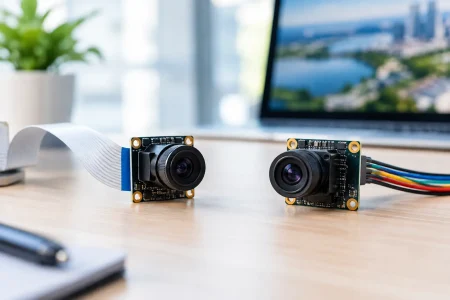

If your prototype drops frames the moment you raise resolution, the usb2 vs usb3 camera decision is no longer a spec-sheet exercise. It becomes a product risk. For embedded devices, medical systems, robotics, and industrial equipment, the camera interface affects not just image quality, but processor load, cable design, enclosure layout, and production cost.
For most B2B teams, the real question is not whether USB 3.0 is newer. It is whether the extra bandwidth materially improves the device you are building. In some cases, USB 2.0 remains the better engineering choice because it is simpler, cheaper, and fully adequate for the image pipeline. In other cases, USB 3.0 is the only practical way to support high resolution, high frame rate, low latency capture without compression compromises.
USB2 vs USB3 camera: the core technical difference
The headline difference is bandwidth. USB 2.0 offers a theoretical maximum of 480 Mbps, while USB 3.0 increases that to 5 Gbps. Actual usable throughput is lower in both cases because of protocol overhead, host limitations, and image format choices, but the gap is still substantial.
That bandwidth gap directly affects what kind of video stream can move from sensor to host. A USB 2.0 camera is often suitable for 720p or 1080p imaging at moderate frame rates, especially if the stream uses MJPEG or another compressed format. A USB 3.0 camera is much better suited to high-resolution sensors, higher frame rates, and less-compressed or uncompressed output such as YUY2 or raw formats.
The practical result is simple. If your application needs more image data per second, USB 3.0 gives your design more headroom. If your image data rate is modest, USB 2.0 may already be enough.
When USB 2.0 is still the right choice
USB 2.0 is not obsolete in embedded vision. It remains a strong fit for many commercial devices because the interface is widely supported, stable, and cost-effective. For products with controlled image requirements, it can shorten development and reduce total system complexity.
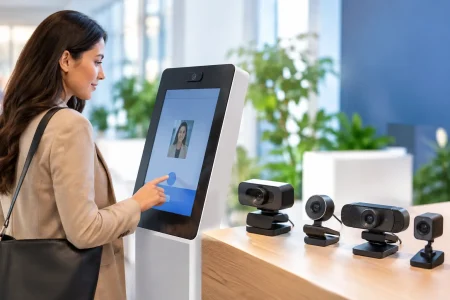
This is especially true in devices such as access control terminals, handheld inspection tools, compact medical accessories, consumer smart hardware, and lower-frame-rate machine vision systems. If the camera is streaming 1080p at 30 fps using compression, or lower resolutions for analysis rather than visual presentation, USB 2.0 can be entirely sufficient.
It also helps when the host platform is constrained. Many embedded processors, SBCs, and legacy industrial PCs have limited USB 3.0 resources or shared bandwidth across ports. In those systems, a well-optimized USB 2.0 module may be more predictable than a USB 3.0 camera that is theoretically faster but bottlenecked by the host.
Cost matters too. USB 2.0 camera modules usually support lower BOM targets, simpler PCB routing, and easier compatibility across a broad range of devices. For high-volume OEM programs, those savings add up quickly.
When a USB 3.0 camera earns its place
USB 3.0 becomes the better option when image performance drives product value. If you need 2MP, 5MP, 8MP, or higher resolution at useful frame rates, USB 2.0 can become restrictive very quickly. The same applies when the application depends on low compression, reduced latency, or accurate image detail for downstream processing.
This is common in industrial inspection, AMR and robotics vision, diagnostic imaging, microscopy, traffic systems, and AI edge devices that perform local inference on live video. In these environments, the interface is part of the data acquisition strategy. If the camera cannot deliver enough image data fast enough, the rest of the vision pipeline underperforms.
USB 3.0 also gives more flexibility during product evolution. A platform that starts with 1080p may later move to a higher-resolution sensor or a higher frame rate variant. Designing around USB 3.0 from the beginning can preserve that upgrade path without a major electrical redesign.
Bandwidth is not the only factor
Many buyers focus only on transfer speed, but usb2 vs usb3 camera selection also involves power, EMI, cable constraints, software support, and environmental reliability.
Power delivery can affect design choices in compact devices. USB 3.0 generally supports higher power than USB 2.0, which may help with modules that include stronger ISP demands, autofocus systems, or integrated illumination. But power budget should still be evaluated at the module level, especially in bus-powered equipment.
EMI can also become more challenging with USB 3.0 because of higher signaling speeds. In tightly packed devices with displays, radios, or sensitive analog components, signal integrity and shielding deserve careful attention. A USB 3.0 design that ignores cable quality, connector performance, and board layout can create more problems than it solves.
Cable length is another trade-off. USB 2.0 often tolerates simpler and sometimes longer practical installations, depending on environment and quality. USB 3.0 can be more sensitive to cable loss and routing conditions. For industrial deployments, this matters if the camera must sit away from the host controller inside a larger machine.
Image format changes the answer
One of the biggest mistakes in interface selection is comparing sensor resolution without considering pixel format. A 1080p stream in MJPEG is not the same bandwidth load as 1080p in YUY2 or raw Bayer. The interface requirement can shift dramatically depending on whether compression happens in the module, in the host, or not at all.
For example, a USB 2.0 camera with onboard compression may work well for teleconferencing, smart kiosks, and visual monitoring. That same interface may struggle in a machine vision workflow where compressed artifacts reduce feature detection accuracy. In that case, USB 3.0 is often the safer choice because it gives room for cleaner image transport.
This is why interface decisions should be made at the system level, not in isolation. Sensor output, ISP behavior, frame target, host CPU load, and analytics requirements all belong in the same discussion.
Host compatibility and driver strategy
From a deployment standpoint, USB 2.0 still wins on universal compatibility. It works across a wider installed base of hardware, and many operating systems and embedded platforms handle it with fewer surprises. For OEMs shipping into mixed customer environments, that can reduce support burden.
USB 3.0 is also broadly supported today, but performance depends more heavily on host controller quality, motherboard design, and software stack maturity. On paper, two systems may both support USB 3.0. In practice, one may sustain stable high-bandwidth streaming while the other drops packets under load.
UVC support helps simplify integration for both standards, but custom controls, synchronization, and image tuning still require validation. For product teams moving from prototype to volume manufacturing, interface stability across multiple host platforms should be tested early, not after EVT or pilot production.
How to choose between a USB2 and USB3 camera
The right decision starts with the required output, not the interface label. Define the final resolution, target frame rate, pixel format, latency tolerance, and host processor budget. Then calculate the real image data rate and leave margin for production variability.
If your device needs dependable 720p or 1080p performance with compressed streaming, moderate frame rates, and broad compatibility, USB 2.0 often remains the most efficient route. If your product needs high-resolution imaging, high frame rate acquisition, reduced compression, or future performance scaling, USB 3.0 is usually the better long-term fit.
Commercial requirements should carry equal weight. If your procurement team is managing aggressive cost targets, long product life cycles, and diverse deployment environments, USB 2.0 may reduce risk. If your differentiator is image quality, algorithm accuracy, or responsive real-time vision, USB 3.0 is usually worth the additional integration discipline.
For many OEMs, the best path is to evaluate both during development using the same sensor family or similar optics. That reveals whether the application is truly bandwidth-limited or whether another bottleneck, such as ISP tuning or host processing, is the real issue. Engineering-led suppliers with custom module capability can help match sensor, lens, board design, and USB interface to the actual operating conditions rather than defaulting to a generic catalog part.
SincereFirst works with customers facing exactly this decision across embedded products, industrial equipment, and specialized imaging devices. The critical point is to choose the interface that supports stable production performance, not just attractive prototype numbers.
A camera interface should make your product easier to scale, easier to manufacture, and easier to trust in the field. If you evaluate usb2 vs usb3 camera options with that standard, the right choice usually becomes clear.